



Market, limit and stop orders explained
Trading Essentials Series 2 of 6
Understand how crypto order types control price and execution, why stops can slip and what a partial fill means for your balance.
Only put money into crypto that you can afford to lose in full. This guide is for education and is not personal financial advice. Do your own research into the asset, platform, fees and risks before making a decision.
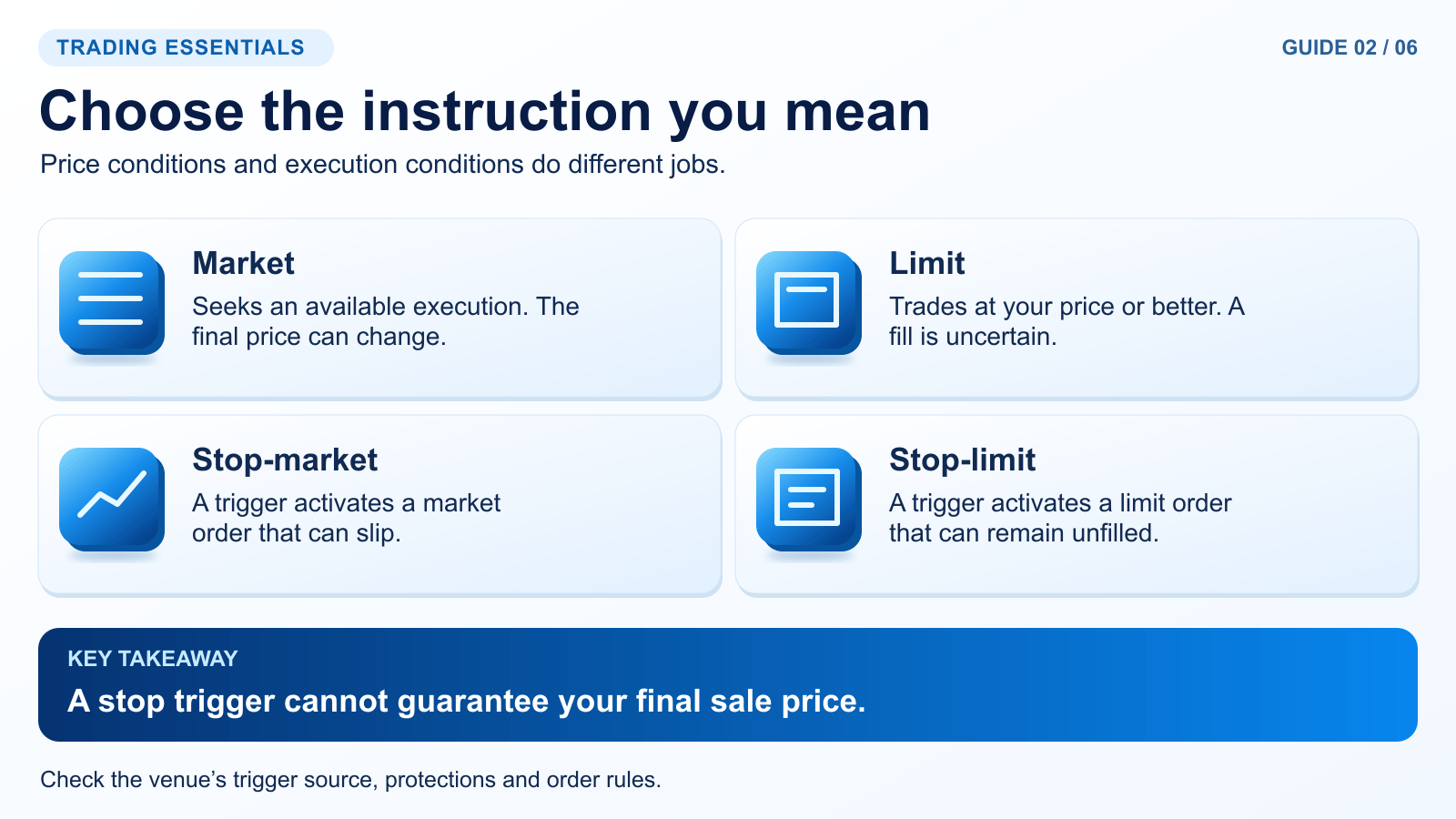
Read the infographic as text
Choose the instruction you mean
Price conditions and execution conditions do different jobs.
- Market
- Seeks an available execution. The final price can change.
- Limit
- Trades at your price or better. A fill is uncertain.
- Stop-market
- A trigger activates a market order that can slip.
- Stop-limit
- A trigger activates a limit order that can remain unfilled.
Key takeaway: A stop trigger cannot guarantee your final sale price.
Check the venue’s trigger source, protections and order rules.
View the worked example and calculation
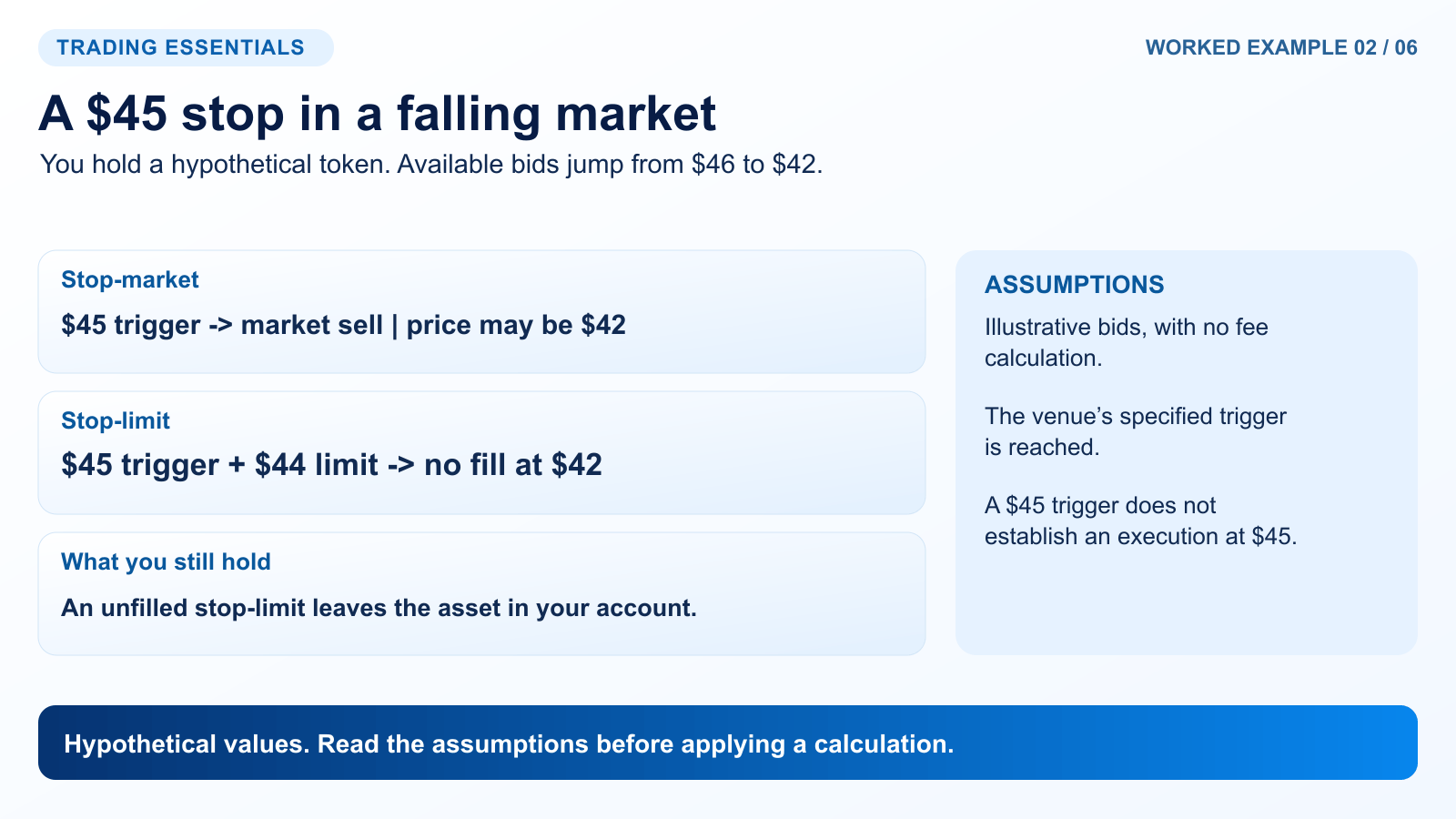
A $45 stop in a falling market
You hold a hypothetical token. Available bids jump from $46 to $42.
- Stop-market
- $45 trigger -> market sell | price may be $42
- Stop-limit
- $45 trigger + $44 limit -> no fill at $42
- What you still hold
- An unfilled stop-limit leaves the asset in your account.
Illustrative bids, with no fee calculation.
The venue’s specified trigger is reached.
A $45 trigger does not establish an execution at $45.
You want to sell a token trading near $50. Selling straight away, waiting for $55 and trying to exit if it falls to $45 are three different instructions. The order type tells the platform which one you mean.
A market order uses the liquidity available when it arrives
A market order seeks prompt execution against resting orders in the market. A market sell takes available bids, starting with the best prices under the venue’s matching rules. If there is insufficient quantity at the first price, the order may reach lower bids. A market buy can similarly reach higher offers. Some venues apply protection bands or cancel the remainder rather than permit an extreme fill. Read their rules before treating immediate execution as certain. Coinbase’s order-management guide explains slippage and partial execution. Coinbase order management
Suppose five units can be sold at $50 and the next five at $49. A ten-unit market sell would receive $495 before commission if those bids remain available. The average is $49.50 per unit, even though the first price on the screen was $50. A rapidly moving market can change those bids before the order reaches them. Our spread and slippage guide shows how to compare the final result with the initial quote.
A limit order sets a price condition
A limit sell at $55 can execute at $55 or better, but needs a willing buyer. A limit buy at $45 can execute at $45 or lower, but needs an available seller. Neither instruction guarantees a fill. The order can remain open, fill partially or expire according to the time condition you choose.
A limit order can also execute immediately. If sellers offer the token at $50 and you submit a limit buy at $51, it can trade at available prices up to your limit. It does not necessarily wait for $51. Because it can remove liquidity, it may attract a taker fee. A post-only instruction, where supported, asks the venue to prevent immediate taker execution, often by rejecting or cancelling an order that would cross. Check the specific platform’s rules. Kraken’s order-form documentation explains the available controls. Kraken Pro order entry
If only four of your ten units sell, six remain. Cancelling the open remainder does not undo the four already sold. Keep track of the filled quantity rather than assuming the original order size still describes your holding. A cancellation request also needs confirmation because execution can occur while that request is in flight.
A stop is a trigger and the order after it matters
For a holding bought near $50, a sell stop at $45 can submit an exit order when the specified trigger price is reached. A stop-market then seeks an available market execution. If prices jump from $46 to $42 with little liquidity between, the eventual sale can be below $45. The stop set the condition for activation, while market conditions set the execution price. The US securities regulator’s explanation illustrates this distinction for shares, and it is a useful starting point for reading crypto venue rules. Investor.gov stop-order bulletin
A stop-limit combines two conditions. Imagine a $45 trigger and a $44 limit for a sale. Once triggered, the sell order can execute at $44 or higher. If available bids have already dropped to $42, it can sit unfilled while the loss grows. The choice exchanges the uncertainty of an execution price for the uncertainty of execution itself. A stop is therefore a planned response to a price event, not a fixed ceiling on the loss.
The venue also decides which price triggers the instruction. Derivatives systems can offer last trade, index or mark price, and the default can vary. A mark price is a valuation used in the contract’s risk system, while an index draws on specified external prices. Two orders labelled stop loss can react differently if they use different triggers. Kraken derivatives order types
Check what remains after an exit
A take-profit order is another conditional instruction whose execution depends on its terms. Some platforms link a profit-taking order and a stop so that one cancels the other. An independently entered order may remain open after a manual sale. On derivatives, a reduce-only instruction, where available, limits an order to reducing an existing position. Without suitable controls, an exit order can later open unwanted exposure. Read how your venue treats partial fills and linked cancellations rather than assuming a pair of orders always stays synchronised.
Before confirming, check the side, quantity, trigger source, trigger price, limit if any, expiry and estimated cost. After closing a position, check the positions page and open-order list. Those two records tell you whether you still hold exposure and whether an instruction remains waiting to trade. A screenshot of a confirmation is less useful than a clear record of what actually filled.
Sources
Related reading
Guides ·
Who owns your crypto? Private keys and custody explained
Find out what you own when you buy crypto, which products let you withdraw it and how private keys give you control of your own wallet.
Guides ·
Your first crypto trade: pairs, prices and what you’re buying
Follow a hypothetical $100 crypto purchase. Learn trading pairs, fractional coins, order fills and what changes when you sell.
Guides ·
Why your crypto trade costs more than the advertised fee
Work through spreads, slippage, maker and taker fees, and the difference between a price move and the profit you actually keep.
Guides ·
Going long or short in crypto: spot, margin and perpetuals
Understand long and short exposure, borrowing, leverage, perpetual funding and how a contract differs from owning the crypto.